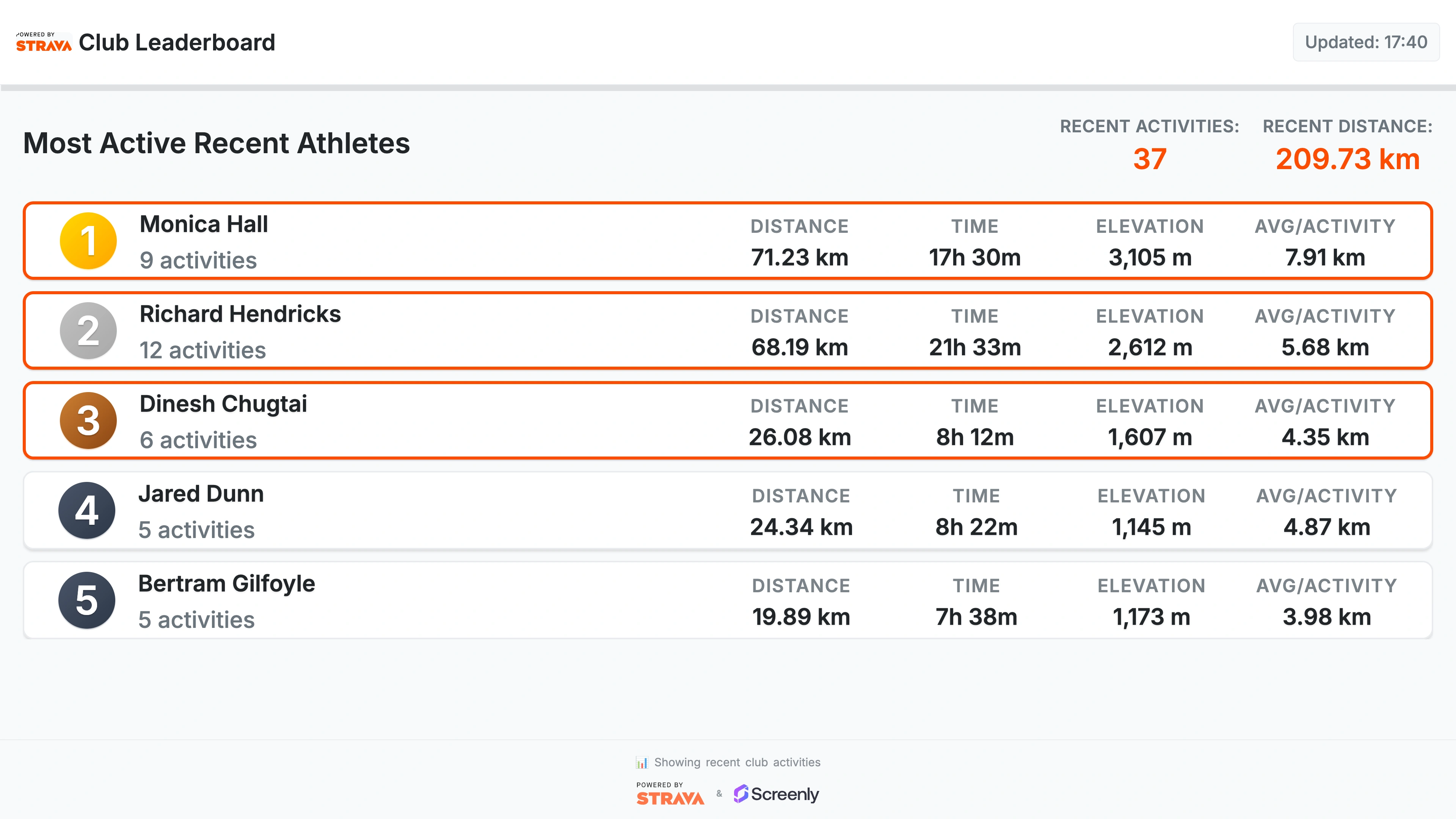
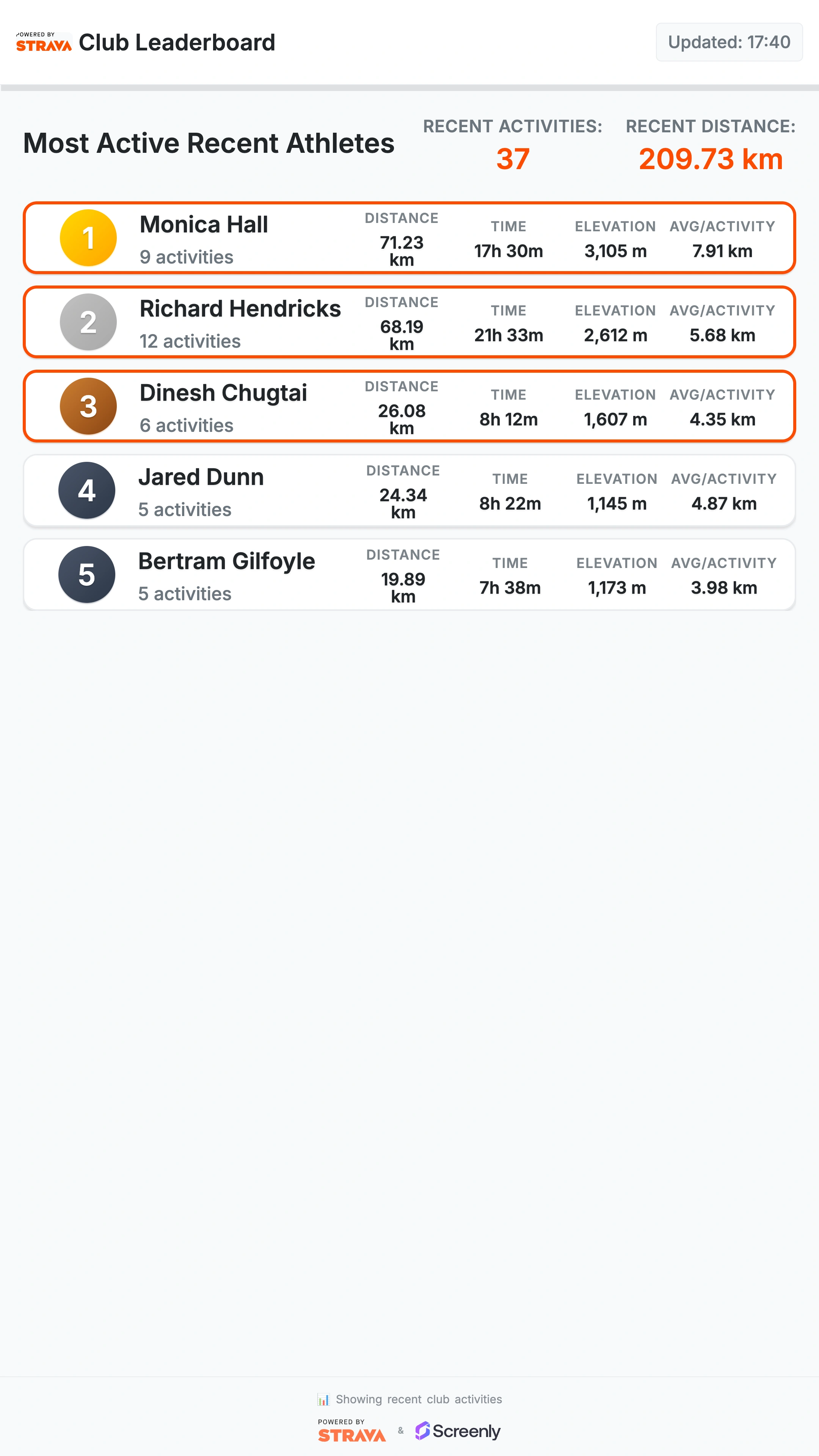
A beautiful, real-time leaderboard for Strava clubs that displays member rankings based on activity data, including distance, time, elevation gain, and activity count. Perfect for motivating team members and celebrating achievements on your office or club displays. Learn more about the Screenly Strava Club Leaderboard App’s key features below.
Strava Club Leaderboard App
The Strava Club Leaderboard App is a plug-and-play digital signage solution designed to showcase your club’s latest performance data directly from Strava. Whether you’re highlighting the most active members, celebrating milestones, or tracking total stats for the week, this app keeps your community engaged and inspired right from your Screenly powered displays.
Real-Time Club Rankings
See your club’s top performers in real-time. The leaderboard automatically updates every 5 minutes, so your displays always show the latest rankings without manual refresh.
Comprehensive Statistics
Each leaderboard entry shows:
- Distance covered
- Time spent
- Elevation gain
- Number of activities
These metrics give everyone a complete picture of individual and team achievements.
Smooth, Modern Display
The interface is clean, responsive, and designed for a polished look on any display size.
Automatic Token Refresh
Once you connect your Strava account, the app automatically manages and refreshes tokens, ensuring uninterrupted operation without manual intervention.
How to use the Strava Club Leaderboard App
- Go to the Strava Club Leaderboard App
- Give the app a name and enter your Strava Client ID, Client Secret, and Club ID
- Click ‘Install’
- Add the app to your playlist
- Assign the playlist to your screen
How to get your Strava API credentials and Club ID
- Go to your Strava API Settings
- Click “Create App” (if you don’t have one already)
- Fill in:
- Application Name: e.g., “Club Leaderboard”
- Category: Visualizer
- Website: Your site or Screenly Playground URL
- Authorization Callback Domain:
localhost
- After creating the app, copy your Client ID and Client Secret
- To find your Club ID:
- Go to your Strava club page
- Look at the URL:
https://www.strava.com/clubs/YOUR_CLUB_ID - Copy the numeric Club ID
- Paste the Client ID, Client Secret, and Club ID into the app setup form in Screenly.
Built for Unattended Displays
The Strava Club Leaderboard App is optimized for digital signage that runs for weeks or months without user interaction:
- Automatic token refresh
- Smart API request caching
- Graceful error handling with clear messages