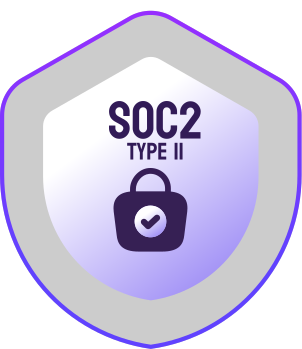
Yes, we’re SOC 2 Type II certified and ISO/IEC 27001:2022 certified. But let’s be honest — compliance is a paperwork exercise. It tells you an auditor checked some boxes. It doesn’t tell you whether a company actually takes security seriously. We do. Security at Screenly is a culture, not a badge.
The Importance of Digital Signage Security
Digital signage, with its always-on screens in high-visibility locations, presents an attractive target for cyber attackers aiming to blackmail or embarrass organizations. Over the years, we have witnessed numerous incidents where attackers have taken control of high-profile screens, including those in airports and storefronts. Even if the screens themselves are not the primary target, digital signage players can be exploited as vectors to access other systems.
Recent reports highlight the growing cybersecurity risks facing enterprises that fail to secure their IoT devices. According to Gartner, IoT devices are involved in more than 25% of enterprise attacks. Moreover, outdated and End of Life (EoL) devices and operating systems are frequently deployed, creating significant security vulnerabilities as they often lack the latest security patches and updates (Nozomi Networks). Asimily’s report underscores that routers and digital signage systems are among the most targeted IoT devices due to their frequent use and often inadequate security measures (Asimily).

No one wants to start their day explaining a digital signage hack to their boss. Worse yet is having to explain how this system was used to launch a ransomware attack that holds company data hostage. This is why banks, hospitals, and other security-focused organizations trust Screenly.
Security Is Culture
Our founders come from the cybersecurity industry. Security isn’t something we bolt on at the end or delegate to a compliance checklist. It shapes how we design hardware, write software, and operate infrastructure. Every architectural decision starts with “how could this be attacked?”
We believe in transparency and collaboration with the security community. That’s why we maintain a comprehensive Bug Bounty & Vulnerability Disclosure Program to work with security researchers in identifying and addressing potential vulnerabilities.
Member of the IoT Security Foundation

Screenly is a member of the IoT Security Foundation (IoTSF), the non-profit, member-led body that develops best-practice guidance for securing connected devices, including the IoT Security Assurance Framework and industry guidance on vulnerability disclosure.
Digital signage players are IoT devices, and the industry has a poor track record with them: default credentials, open ports, and devices that stop receiving patches long before they’re taken off the wall. Membership keeps us engaged with the people setting the bar for connected-device security rather than working in isolation, and the practices we publish above map directly onto that guidance.
This is the same reason we joined CISA’s Secure by Design pledge as the first digital signage company.

Security Measures in Our Digital Signage Players
Our digital signage players are designed with multiple layers of security to thwart potential attacks. Here’s a detailed look at our security technologies:
Hardware Root of Trust
Security starts below the operating system. Screenly Player Max ships with a Trusted Platform Module (TPM) and Secure Boot, so each stage of the boot process cryptographically verifies the next before handing over control. Tampered firmware doesn’t boot, and the TPM gives the device a hardware-backed identity that can’t be copied off the board.
Process Isolation
We utilize advanced Linux Kernel technologies such as namespaces, cgroups, AppArmor, and Seccomp for robust process isolation. This prevents lateral movement even if part of the player is compromised. Unlike competitors, our approach restricts runtime users from executing system commands or installing tools, significantly raising the bar for attackers.
Transactional and Cryptographically Signed Updates
To counter rogue updates, we employ cryptographically signed updates. Our players reject any update that fails cryptographic verification, ensuring only legitimate updates are applied.
Full Lockdown
By eliminating open ports, we prevent remote access vulnerabilities, a common attack vector for IoT devices. This measure is increasingly important with the adoption of IPv6. Unlike competitors with default-enabled SSH and default credentials, our players assume public accessibility and are designed accordingly.
No Default Credentials
Screenly players do not use default credentials or backdoors for convenience, addressing a significant security risk and complying with legislation such as the EU’s Cybersecurity Act (Regulation (EU) 2019/881) and the US’s IoT Cybersecurity Improvement Act of 2020 (H.R. 1668).
Automatic Security Updates
Our players automatically apply security updates without interrupting content playback. Both OS and software updates are transactional and cryptographically signed.
Full Encryption for All Traffic
All communication between our players and backend is fully encrypted, preventing MiTM attacks. We use Mutual TLS (mTLS), with client private keys securely stored in the TPM on eligible players.
Device Identity for Your Own Web Assets
mTLS also works in the other direction. From ScreenlyOS 26.2.0, players can present a device certificate when loading your web assets, so your server can cryptographically verify that a request came from a specific authorized screen. An internal dashboard URL stops being a secret that merely hasn’t leaked yet. Anything without a valid device certificate is rejected before it sees a response.
Every player has its own unique certificate, downloadable from the screen’s Actions tab in the dashboard, and the Screenly CA certificate is available alongside it. Trust certificates individually for the tightest control, trust the CA to cover the whole fleet as it grows, or combine both: CA trust broadly, with individual devices pinned where you need it. Verification can also be offloaded to a CDN or load balancer that supports mTLS, so it never reaches your backend.
Certificates are also available through our API, so trust bundles can be regenerated automatically as screens are added or retired. Deprovisioning a player becomes a single bundle update instead of a manual step, and certificate rotation stops being something anyone has to remember.
802.1X Network Authentication
Players authenticate onto 802.1X networks using PEAP, over both Wi-Fi and wired Ethernet, including alongside static IP configuration. Where network access control is mandatory (corporate offices, hospitals, universities, manufacturing floors), a Screenly player joins the network on the same terms as a managed laptop, with no dedicated VLAN, unmanaged switch, or policy exception required.
Private Network Access Without Exposed Endpoints
Much of the most useful signage content isn’t public. Rather than pushing internal services through a reverse proxy or maintaining per-device firewall rules, you can connect your whole fleet to your Tailscale network from workspace settings, and players reach internal URLs and private APIs with nothing exposed to the internet. The OAuth integration requests a single scope, Auth Keys, and nothing more.
Automatic Security Scans
We conduct regular security audits on third-party dependencies to maintain a secure environment.
End of Life Management
Screenly publicly states the End of Life (EoL) cycles of our operating system software. We provide mitigation strategies for scenarios where automatic remote updates are not feasible, ensuring devices remain secure even as software reaches its EoL stage.
For more technical details, refer to Ubuntu Core’s security whitepaper.

Security of Our Back-End and Web Interface
Our cloud component is equally secured with the following measures:
Process Isolation
Similar to our players, we use Linux Kernel level process isolation to limit attack potential.
Automatic Vulnerability Scanning
We continuously scan our runtime environment for vulnerabilities, covering both application dependencies and container vulnerabilities.
Ephemeral Infrastructure
We use short-lived servers that are replaced every 24 hours, ensuring they are always patched against recent vulnerabilities.
Additionally, our web interface is designed to secure user accounts with features such as:
No Passwords At All
We didn’t just add passwordless login as an option. We removed passwords entirely. As of May 21, 2026, there is no password to set, reuse, leak, phish, or brute force on a Screenly account. This eliminates an entire class of attack, including credential stuffing from breaches on unrelated services.
You sign in one of four ways instead:
- Passkeys: FIDO2/WebAuthn authentication using your device’s biometrics, PIN, or a hardware key such as a YubiKey. The private key never leaves your device, so there is nothing on our side to phish, intercept, or leak. Phishing-resistant by design.
- One-time email codes: a six-digit code that expires after ten minutes, is bound to the browser session that requested it, and is discarded once used. Seeing the code isn’t enough; an attacker would need your session too. Guessing is capped at five attempts before a fresh code is required.
- SSO: Google, GitHub, or Microsoft accounts.
- SAML: your own identity provider, for organizations that centralize access control.
Two-Factor Authentication (2FA)
TOTP-based 2FA remains available and can be layered on top of passwordless login. Hardware security keys are now supported through passkeys.
Granular Access Control
Every workspace member holds one of four roles (Owner, Admin, Billing Manager, or User), so people get only the access their job actually requires, in line with the principle of least privilege (PoLP).
Access That Expires On Its Own
Least privilege includes for how long. Any workspace member can be given an Active until date, and their dashboard access ends automatically when that day does. No calendar reminder, and no one having to remember to revoke a contractor or seasonal hire on their last day. Members can also be disabled outright and re-enabled later; it’s purely an access switch, so screens, playlists, and content are untouched. For regulated environments, that means access provably ended when someone left, not whenever it was noticed.
Workspace-Based Screen Management
Create multiple workspaces with defined member permissions to further isolate access.
Consolidated Billing Across Workspaces
One workspace per site, department, or business unit is the right structure for security: tighter access control, cleaner content boundaries, and a much smaller blast radius if any single workspace is ever compromised. What used to make that structure expensive was billing: every workspace was an island with its own invoice and its own licenses, which quietly pushed organizations toward fewer, broader workspaces than they wanted.
Linked workspaces remove that trade-off. Designate one workspace as the parent and link the others to it as children, and the parent holds a single pool of screen licenses that every child draws from automatically, under one invoice. Isolation stops costing you anything, so your security boundaries can follow your org chart instead of your procurement process. Available on the Enterprise plan.
For what to set up on your side, such as sign-in, roles, workspaces as the access boundary, network isolation, and the Player Max BIOS, see the hardening guide.
We are committed to continuously enhancing our security features. We actively work with security researchers through our Bug Bounty Program to identify and address potential vulnerabilities. For any questions or concerns, please reach out to Screenly Support.
Incident Response & Security Transparency
At Screenly, we believe in transparency when it comes to security incidents. We maintain a public record of security incidents and our response to them, demonstrating our commitment to accountability and continuous improvement.
Recent Security Communications
- Screenly achieves ISO/IEC 27001:2022 certification (August 2026)
- Sign into Screenly with a Passkey (July 2026)
- Serve mTLS protected web assets on Screenly Player (June 2026)
- Password login is being removed on May 21 (May 2026)
- No more passwords in Screenly (April 2026)
We are committed to maintaining this transparency and will continue to publish incident responses and security updates as they occur.
Security Contacts & Vulnerability Reporting
If you discover a vulnerability and wish to make a responsible disclosure, we encourage you to review our Bug Bounty & Vulnerability Disclosure Program which provides complete details on:
- Scope and safe harbor policies
- Reporting procedures and expectations
- Potential rewards and recognition
- Contact information and PGP encryption keys
For quick reference, if you discover a vulnerability and wish to make a responsible disclosure, please use the contact details provided in our /.well-known/security.txt file. Our security team monitors that inbox continuously and will acknowledge your report within one business day.