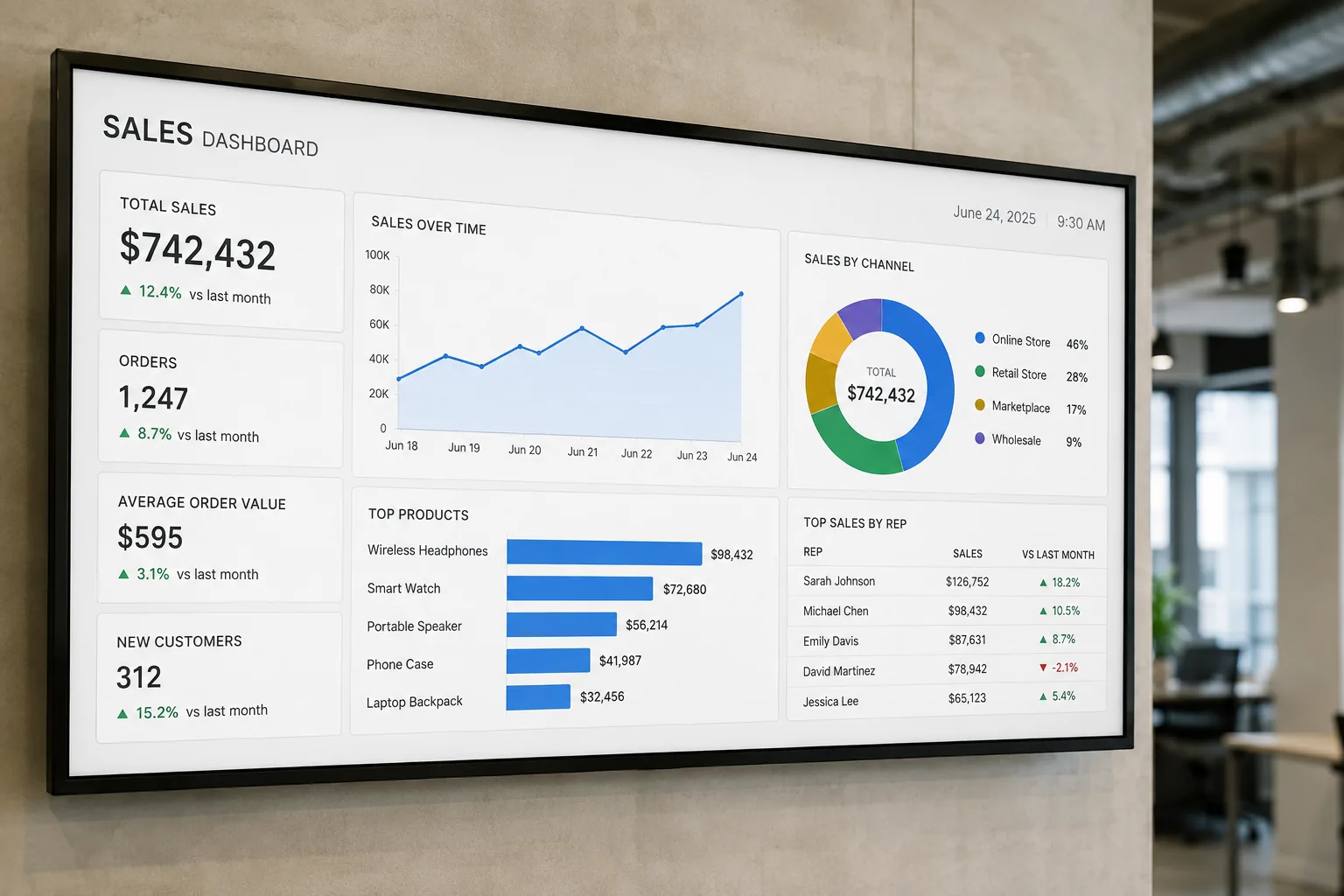
Dashboard signage puts your business dashboards where your team actually looks, on screens on the wall that are always on and always current. Sales numbers appear in the sales pit, production metrics show on the factory floor, and service status stays visible in the IT office, all updating live without anyone opening a laptop or remembering a URL.
Screenly was built with a digital signage dashboard use case at its core. Screens display live web pages, connect to the tools your data already lives in, and stay secure enough for the numbers you would not want on the guest Wi-Fi. This page covers what teams put on dashboard screens, the three ways to connect your data, the hardware that renders dashboards well, and how to keep business data safe on a wall.
Why put dashboards on screens
In the modern company, decisions are made based on data, not on gut feelings. Yet without making that data readily available, it is hard to put it to use in the decision making process. This is where dashboards come into play, and dashboards only change behavior when people see them constantly.
Teams often start by plugging a spare PC, Mac Mini, or Chromebox into a TV and pointing the built-in browser at a dashboard. It gets you off the ground quickly, and then it becomes a nightmare to manage. Every change means connecting a keyboard and mouse or opening a VNC session, and someone has to schedule operating system updates on a fleet of improvised devices. Screenly replaces that with signage built for the job. Every dashboard is an asset in one system, you can add, remove, and cycle dashboards on any screen from anywhere, and the devices are set-and-forget, updating themselves without anyone running around the office.
What teams put on dashboard signage
Sales and revenue KPI screens. These show targets, pipeline, and leaderboards where the team sits. A number on the wall gets checked a hundred times a day, while a number in a browser tab gets checked when someone remembers.
Operations and manufacturing metrics. These put throughput, quality, safety counters, and shift performance on the floor where the work happens, visible to the people who move them.
IT and service monitoring. These screens show uptime, incidents, and infrastructure health from your monitoring stack, on a wall where on-call actually glances.
Support and service wallboards. These display queue depth, response times, and satisfaction scores that keep a support team aligned in real time.
Marketing and analytics displays. These carry campaign performance, traffic, and conversion numbers that keep the whole team looking at the same reality.
The pattern across all of them is the same. Dashboards only change behavior when people see them constantly, and screens deliver the constancy.
Connecting your data: three routes
1. Display a live web page. This is the fastest route. Since Screenly displays regular web pages, your existing dashboards work as they are. If your dashboard tool produces a shareable URL, add that URL to Screenly and assign it to a screen. The page renders live and refreshes on the device.
2. Use an app or integration guide. Screenly provides apps and step-by-step guides for popular dashboard and data tools, including for authenticated setups that need tokens or request headers. See the integration guides below and the apps library.
3. Build exactly what you need with Edge Apps and the API. For dashboards that need secure authentication, custom rendering, or data straight from your own systems, Edge Apps run your code directly on the player, and the Screenly API automates screen and content management from your stack. The Power BI Edge App, for example, securely accesses dashboards and reports without exposing credentials on a shared URL.
Authentication with digital signage dashboards
Authentication is a critical aspect of managing digital signage dashboards, especially when dealing with sensitive business data. Nobody wants public links to internal numbers floating around, or someone logging back into a dashboard after every session timeout. Screenly sorts authentication out on the player device itself, using request headers for token-based tools, JavaScript injection for login flows, and Edge Apps for fully custom secure access. Public and shareable dashboard URLs work immediately with no setup. Tools that require login are supported through these routes, which together cover the authentication patterns most dashboard tools use.
Integration guides and apps
These apps connect popular tools in a few clicks.
- Grafana app for Grafana dashboards
- Power BI Edge App for secure, authenticated Power BI dashboards and reports
- Demo Dashboard app for staging screens with realistic auto-refreshing data before your real integrations are wired up
The following step-by-step guides connect specific tools to your screens.
- Screenful project and business data charts
- Hosted Graphite metrics dashboards, including token authentication
- Zoho Analytics dashboards via share URLs
- Chartbeat real-time web analytics
- Geckoboard KPI dashboards
- Munin infrastructure monitoring graphs
- Tableau, Looker, Mixpanel, Domo, Databox, Klipfolio, Airtable, New Relic, and Zabbix in our tutorials library
More dashboard walkthroughs land regularly on the dashboards blog tag, and anything that renders in a browser can be displayed as a live web page even without a dedicated guide. For the wider world beyond dashboards, our guide to digital signage apps covers the whole app ecosystem.
Hardware for dashboard screens
Dashboards are the most demanding content in signage. They are dense, live, often JavaScript-heavy, and expected to run around the clock. Hardware choice matters more here than for menus and posters.
The player. The Screenly Player Max Mk3 ($699) is the right tool for complex, data-heavy dashboards. It has more rendering power for busy pages, it is built for continuous operation, and it carries enterprise security features. The Screenly Player ($219) handles lighter dashboards and single-metric displays comfortably. Screenly Anywhere can turn an office smart TV into a dashboard screen with no new hardware, which is a good way to prove the value before standardizing.
The screen. Any TV with HDMI works. For dashboards specifically, bigger and closer beats smaller and farther, 4K pays off for dense layouts viewed up close, and rooms with all-day operation deserve displays rated for it.
Reliability. A dashboard screen that silently freezes shows yesterday’s numbers as confidently as today’s. Screenly players are monitored, receive automatic updates, and recover on power loss, and playback continues through network drops with content cached on the device.
Keeping business data secure on screens
A dashboard screen shows your revenue, your incidents, and your plans to everyone who walks past it, and the player behind it sits on your network for years. Screenly was designed from the start with security in mind. Far too often, we see Internet of Things (IoT) devices compromised due to poor security practices from device vendors. We take security seriously, and we want to make sure that you can rely on us.
Our security measures include the following.
- Automatic updates. Screenly devices receive automatic updates to ensure they are protected against the latest vulnerabilities.
- Secure communication. All data transmitted between Screenly devices and our servers is encrypted to prevent unauthorized access.
- Access control. We provide robust user authentication and access control mechanisms, so only authorized personnel can manage your screens, with permissions over who manages which dashboards.
- Data privacy. Screenly is committed to protecting your data privacy and complies with relevant data protection regulations.
- Incident response. We have a dedicated team to monitor and respond to any security incidents promptly.
Screenly is ISO 27001 and SOC 2 Type II certified, built on a zero-trust architecture with no default credentials and no open inbound ports. For more detailed information on our security practices, please visit our security page.
Setting up dashboard signage with Screenly
- Start a trial and connect a player, or activate Screenly Anywhere on an office TV.
- Add your dashboard as a live web page URL, through an app, or via an Edge App for authenticated tools.
- Assign it to the screen, alone or in a playlist that rotates dashboards by team or daypart.
- Set refresh and schedules so the right numbers show at the right times, with sales during the day and ops around the clock.
- Monitor the fleet so every dashboard screen in every office is verifiably live.
Frequently asked questions
What is dashboard signage?
Dashboard signage means business dashboards displayed on always-on screens. TVs and displays show live KPIs, metrics, and monitoring data, managed remotely through digital signage software instead of a computer plugged into each screen.
Can I show dashboards that require a login?
Yes, through the routes built for it. Screenly offers apps for supported tools, request-header token authentication, JavaScript injection for login flows, and Edge Apps for fully custom secure access. Public share URLs work with no setup at all.
Which dashboard tools work with Screenly?
Anything that renders in a browser can be displayed as a live web page. Screenly also provides apps and guides for popular tools, including Grafana, Power BI, Screenful, Hosted Graphite, and Zoho Analytics, and Edge Apps cover custom stacks.
Do I need special hardware for dashboard screens?
Any screen with HDMI works. For dense, data-heavy dashboards, the Screenly Player Max Mk3 renders best, while lighter dashboards run well on the Screenly Player or via Screenly Anywhere on a smart TV.
Is it safe to put business data on wall screens?
The screens are as safe as the platform behind them. Screenly is built for exactly this, with encrypted communication between cloud and player, no default credentials, no open inbound ports, access controls over who manages which screens, and automatic security updates.
What happens if the network drops?
Screens keep displaying. Content is cached on the player, and live pages resume updating when the connection returns. Screen health monitoring tells you the moment any display stops checking in.
Numbers on the wall, working all day
From one KPI screen to dashboards across every office and floor, Screenly keeps business data live, visible, and secure.