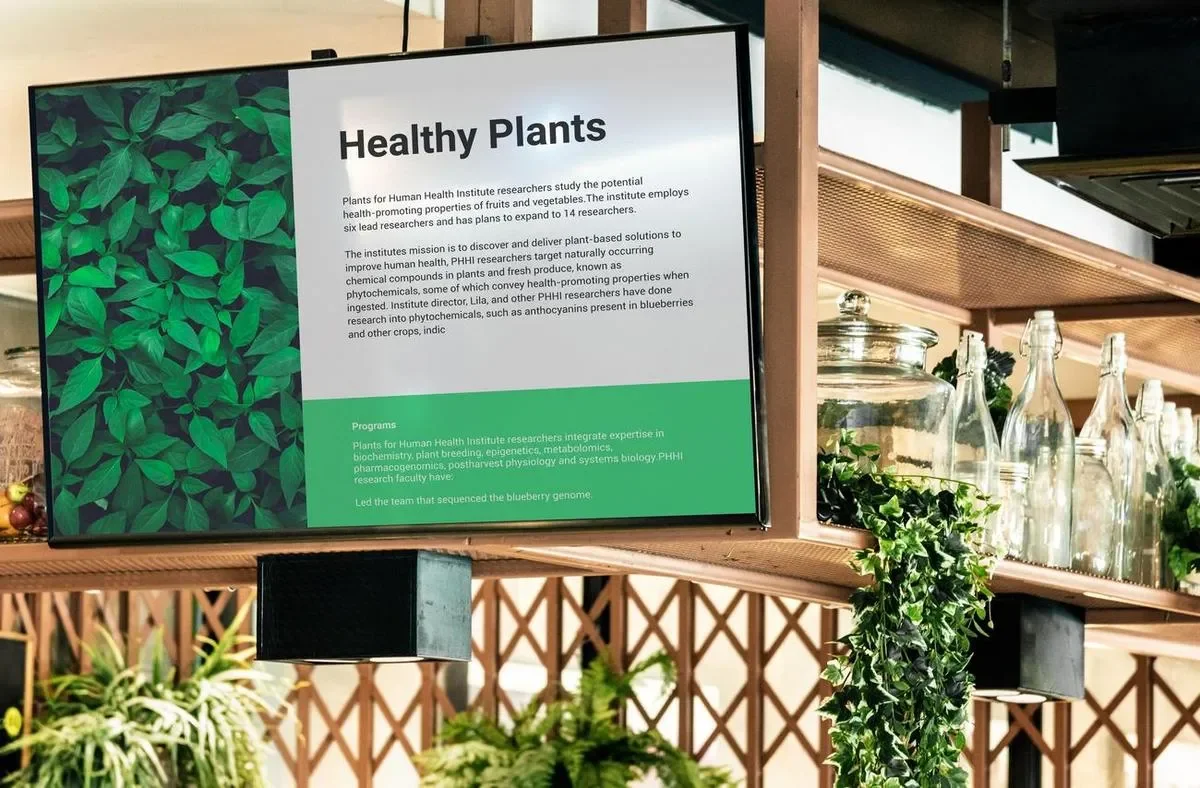
Restaurant digital signage enables restaurants to display eye-catching promotional content, branding, specials, and event notices to customers. Screenly provides a robust solution for restaurant digital signs that allows restaurant staff to manage every screen from a central web interface, and the menu side of the deployment is covered in depth on our digital menu boards page. With Screenly, users can set and forget their restaurant digital signage and focus on growing their restaurant.
Benefits of restaurant digital signage
Screenly provides a variety of useful features for restaurant digital signage. These features include remote content management, content scheduling, screen playback monitoring, and more. While many restaurants use digital signage specifically for digital menu displays, using signs to display promotions, company branding content, event notices, and upcoming specials is also common. Restaurant digital menu deployments can be used for fast food menu boards, cafe menu boards, and fast-casual chains. When used in the right location with appropriate content, restaurant digital signage can also be used in more upscale chains. Read more below on each of these features and use cases and how they can benefit your restaurant.
Remote content management for restaurant digital signs
This feature allows restaurant staff to change and update their digital signage content from anywhere with an internet connection. Users can change out restaurant menu screen content at the restaurant itself or from a central franchise management office. This feature is useful, as, without it, users need to update content with a USB drive manually. This manual process is a hassle and is time-intensive. Additionally, manually updating a sign can be disruptive to customers. Imagine your digital restaurant signs displaying a black screen for twenty minutes during business hours as an employee stands on a chair and attempts to update the screen’s content. That is not an ideal customer experience. Saving time through remote content updates also promotes that content gets changed out regularly, which is key for successful digital menu restaurants.
With remote content management, restaurant staff can easily change out digital display content using a web interface on a laptop. To change out content, a staff member can simply upload the desired images, videos, or webpage content into their account. The content will then start displaying on the screen. Note that different content can be changed and deployed to specific screens at multiple restaurant locations. If you have multiple digital signage screens, you can choose to manage them together or break them into different groups with group-specific content with our group label feature. This feature is important for franchise restaurants with multiple locations as it enables a single employee to quickly manage digital signage content for the entire restaurant chain.
Content scheduling for restaurant screens
Scheduling is what keeps restaurant digital signage current without anyone touching it during service. Your team can schedule promotions, social media content, special offers, and event notices in advance, and rotating fresh content is key to keeping customers engaged and ready to buy. Large franchises operating screens across multiple time zones can set the time zone separately for each screen or group of screens. For everything menu-specific, from daypart switching to multi-screen menu walls and TV menu templates, see our complete guide to digital menu boards. Our article on how to increase restaurant sales and customer engagement covers the sales side.
Screen playback monitoring for your restaurant’s digital signage
Screenly’s intuitive user interface makes it super easy to monitor your TV menu boards for any playback issues or malfunctions. With Screenly, a restaurant’s IT employees and other team members can quickly glance at an online dashboard to monitor their digital menu TV screens’ statuses remotely.
This feature is important, as restaurant staff can address any screen malfunctions rapidly. Without this feature, the responsible parties may have to wait hours before they hear from frontline restaurant employees about any restaurant menu board issues. This communication delay is particularly common when those responsible for managing a screen’s content work offsite from the restaurant location. When a restaurant menu board is down, this issue is particularly visible to customers, and it does not provide a positive impression of your restaurant. Additionally, in mission-critical settings where restaurant menu board digital signage is the only way for customers to see food and pricing options, screen downtime can result in significant revenue impacts.
The menu side of the deployment
Most restaurants run promotional screens and menu screens on the same platform, and the menu side has its own complete guide. Design best practices, templates, the Menu Board app, custom menu integrations with inventory and pricing systems, and venue-by-venue advice all live on our digital menu boards page.
Cost-effective digital signage for restaurants
To run a restaurant digital sign, you will need a digital signage player for each TV. A digital signage player is a physical piece of hardware that renders your content to a display screen. Screenly’s digital signage players, the Screenly Player and Screenly Player Max, are cost-effective and energy-efficient digital signage players. Each Screenly digital signage player comes with all the required connection cords for your first restaurant digital sign. Connect your Screenly Player to the internet via ethernet or WiFi, connect the device to a power outlet, and connect the device to your display screen via HDMI. You will then have your first restaurant digital sign up and running.
Screenly makes restaurant digital signage affordable. Restaurants need one player per sign, with the Screenly Player at $219 and the Screenly Player Max Mk3 at $699, and software is priced per screen per month on the pricing page. Any TV screen that accepts HDMI input works, and quality screens cost a couple hundred dollars at your local electronics store. Screens placed fully outside in sunlight, such as drive-through displays, need brighter outdoor-rated hardware, which our outdoor digital signage page covers. The full cost breakdown walks through every component.
Restaurants that want to test digital signage at no software cost can start with Anthias, our free and open-source option. It runs one screen at a time and requires some technical familiarity to set up, and our free digital signage page is honest about those tradeoffs. For a multi-screen deployment at one or multiple restaurants, we recommend the managed Screenly platform.
Get started
Ready to give Screenly a shot? Start engaging customers and launch digital menus quickly with our hardware and software digital signage solutions. Sign up for a 14-day free trial. We do not require a credit card for free trial accounts.